Test Cabinet Colors Without Changing the Rest of Your Kitchen
Upload a kitchen photo and preview painted cabinets, wood tones, stains, or two-tone looks while keeping your countertops, backsplash, floor, and lighting visible.
- Use your real kitchen photo
- Keep fixed surfaces visible
- Compare paint, stain, wood, and two-tone looks
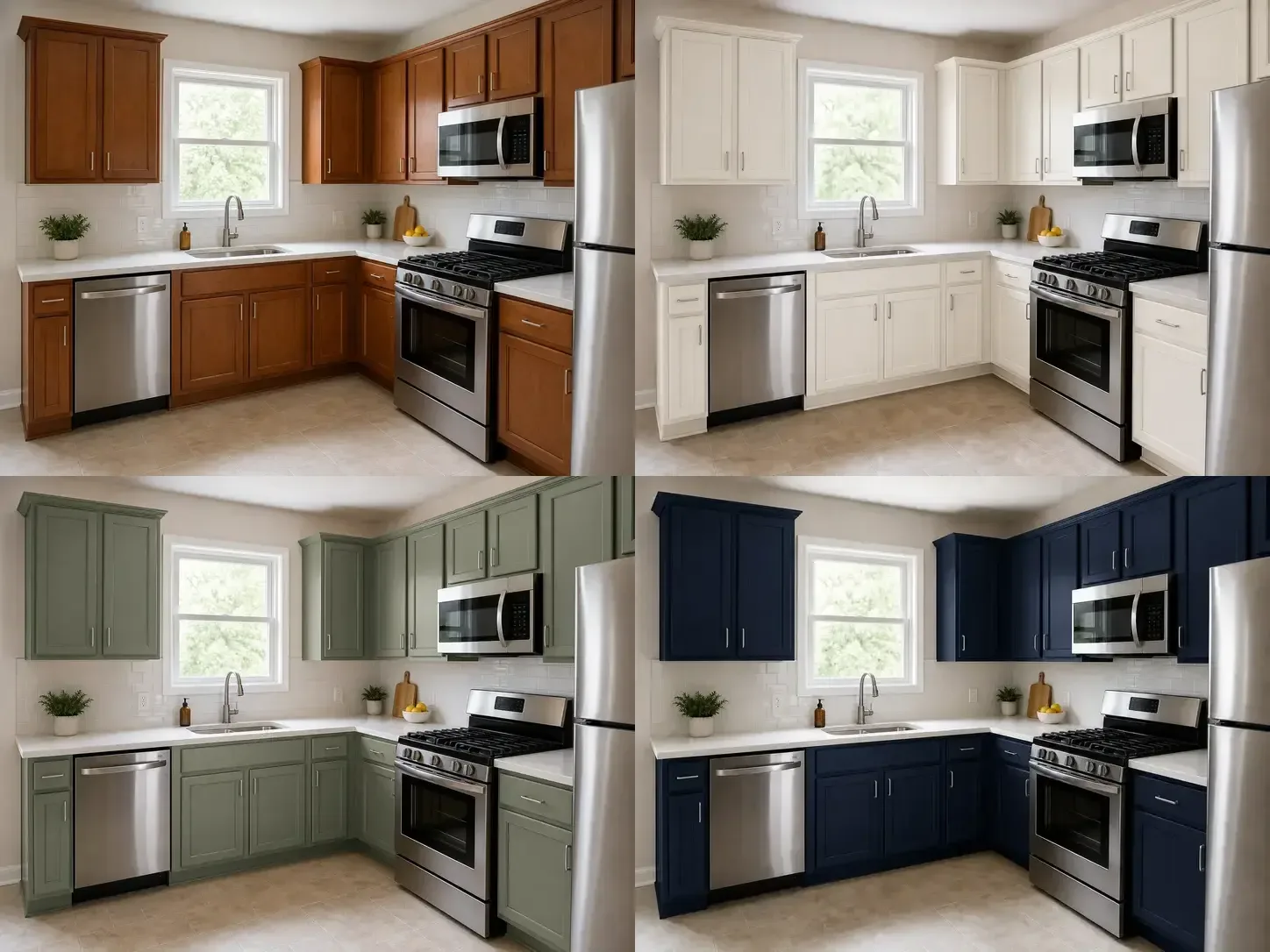
Try warm white, sage green, navy, charcoal, natural oak, dark walnut, and two-tone cabinet looks before choosing paint, stain, or new doors.
Upload, choose quality, and compare with your original photo
Try warm white, sage green, navy, charcoal, natural oak, dark walnut, or two-tone cabinets before choosing paint, stain, or replacement doors.
Upload your kitchen photo
Pick a preset finish or write your own
Choose preview quality
Generate cabinet preview
Example cabinet preview. Upload your kitchen photo to try your own.
Change Cabinets, Keep Everything Else
Kynelio is designed for cabinet-focused previews: changing the visible cabinet color or surface look while keeping the fixed parts of your kitchen in view.
AI image generation can still make small visual changes. The prompt and product experience are built to focus the edit on cabinets, not to guarantee pixel-perfect preservation of every surrounding detail.
What changes
- Cabinet color
- Painted finish
- Wood tone or stain direction
- Surface warmth, depth, or sheen
- Two-tone cabinet balance
What stays visible
- Countertops
- Backsplash
- Appliances and fixtures
- Floors, walls, windows, and lighting
- Camera angle and room identity
Same Kitchen, Different Cabinet Colors
Compare how warm white, sage green, navy, and natural wood tones change the feel of the same kitchen while the countertops, backsplash, floor, and lighting stay in view.
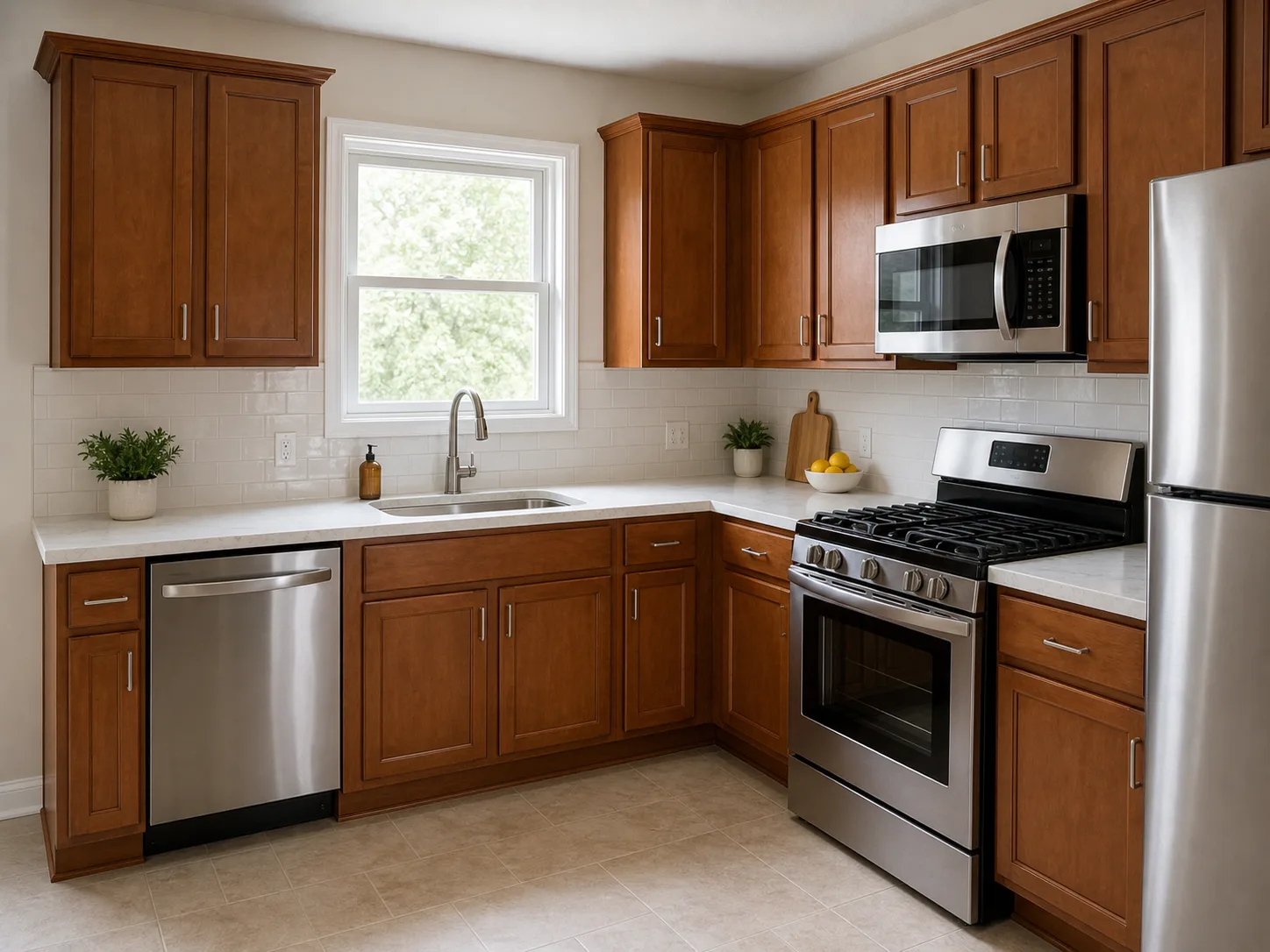
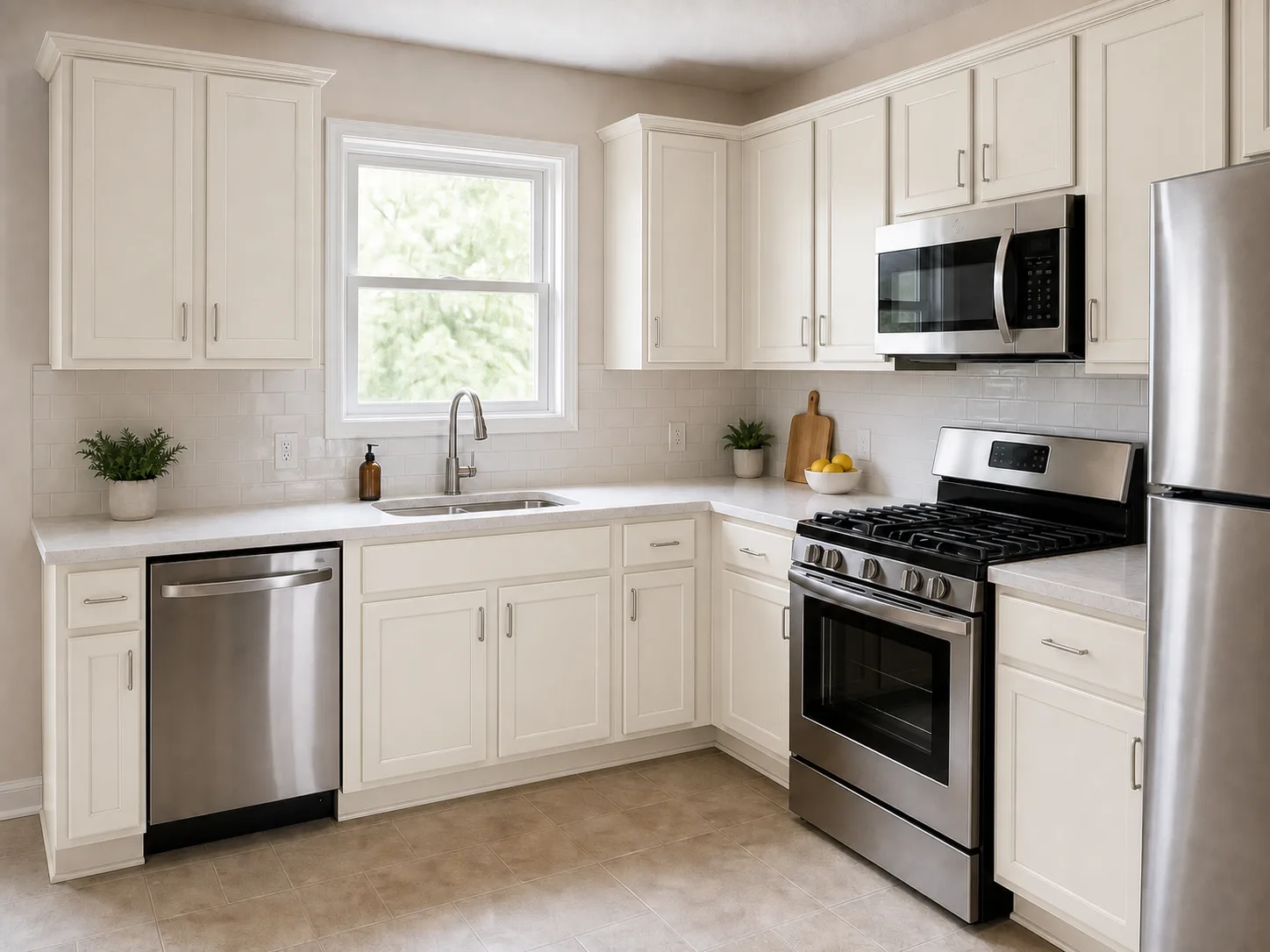
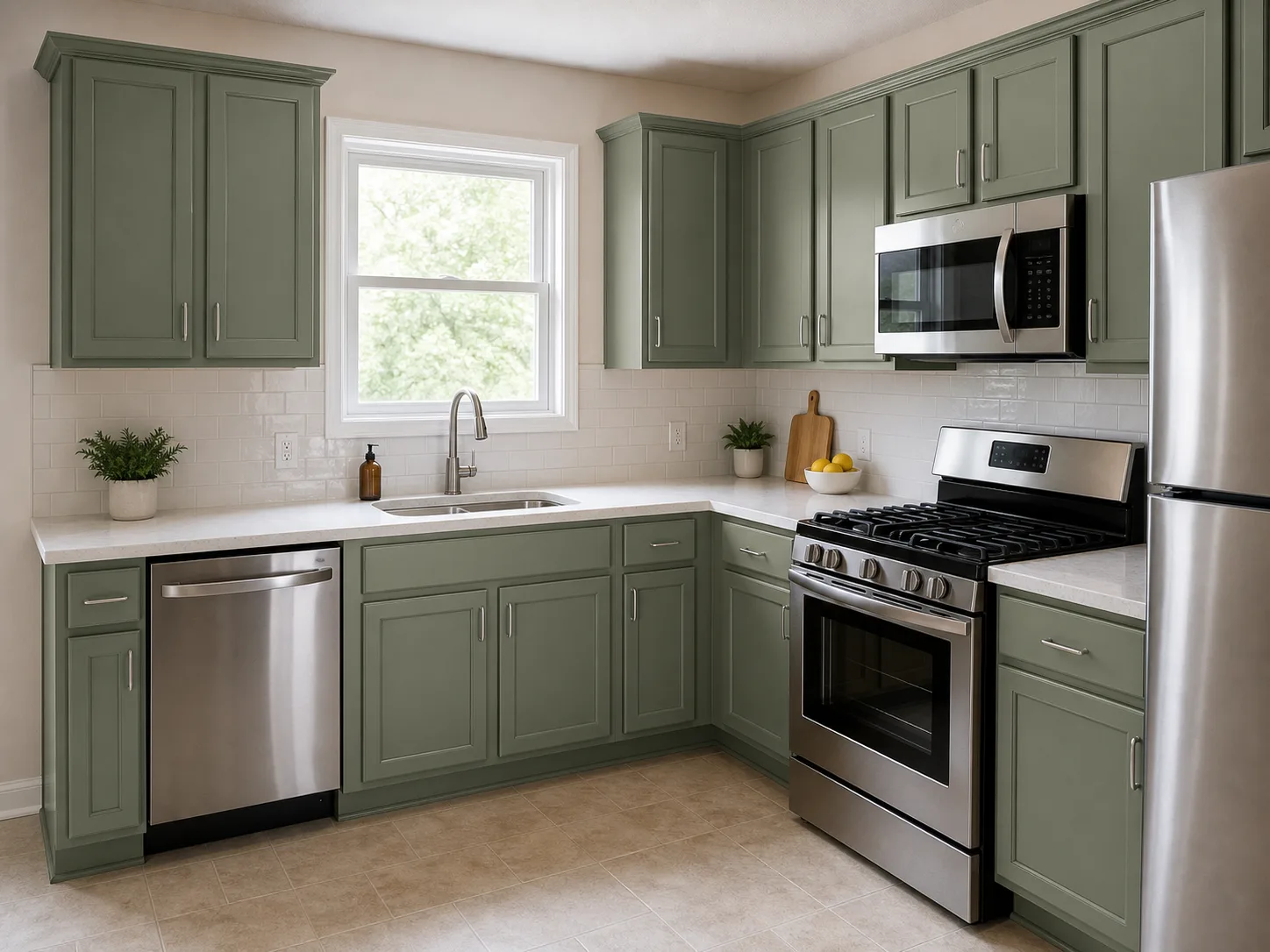
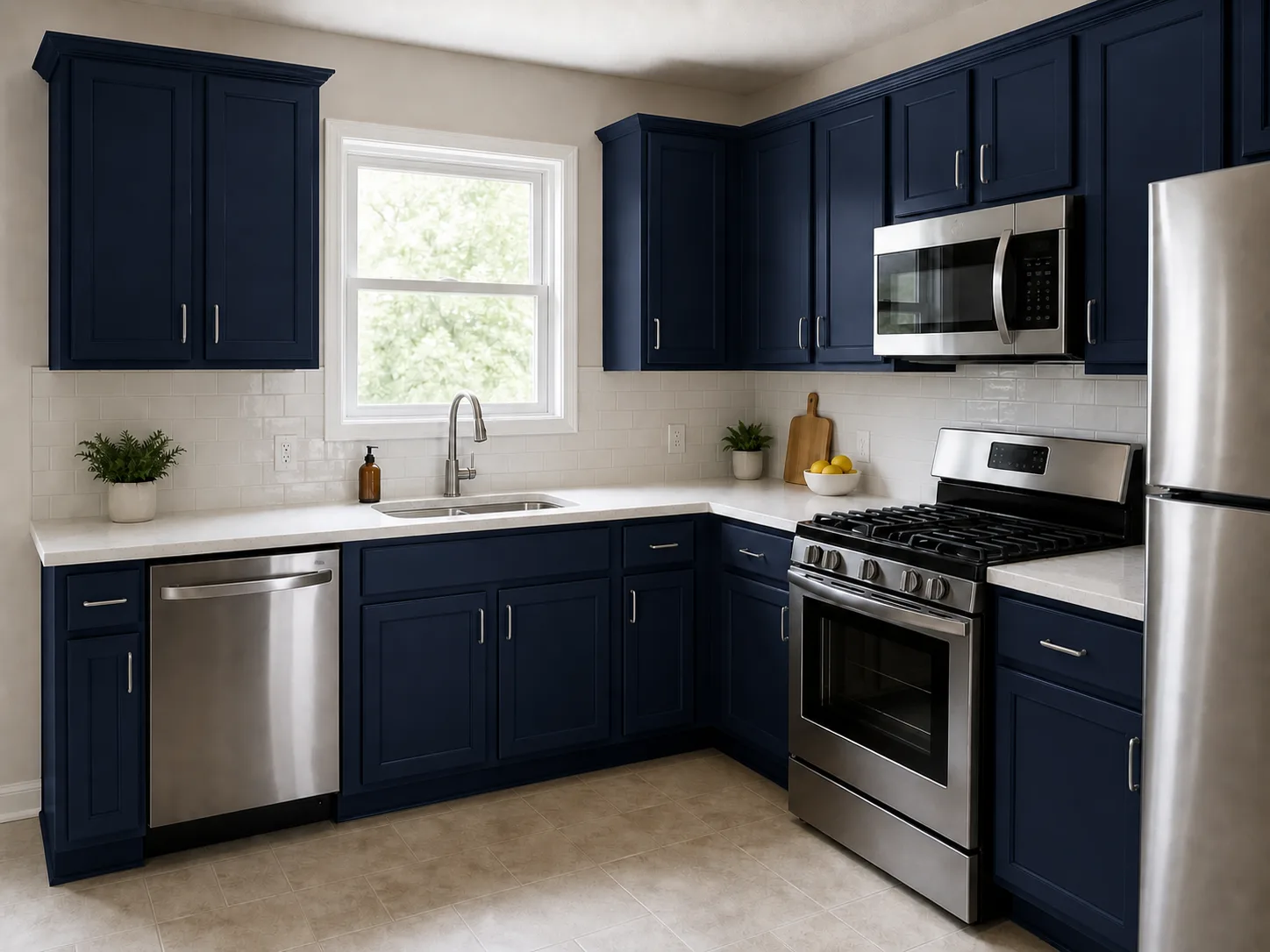
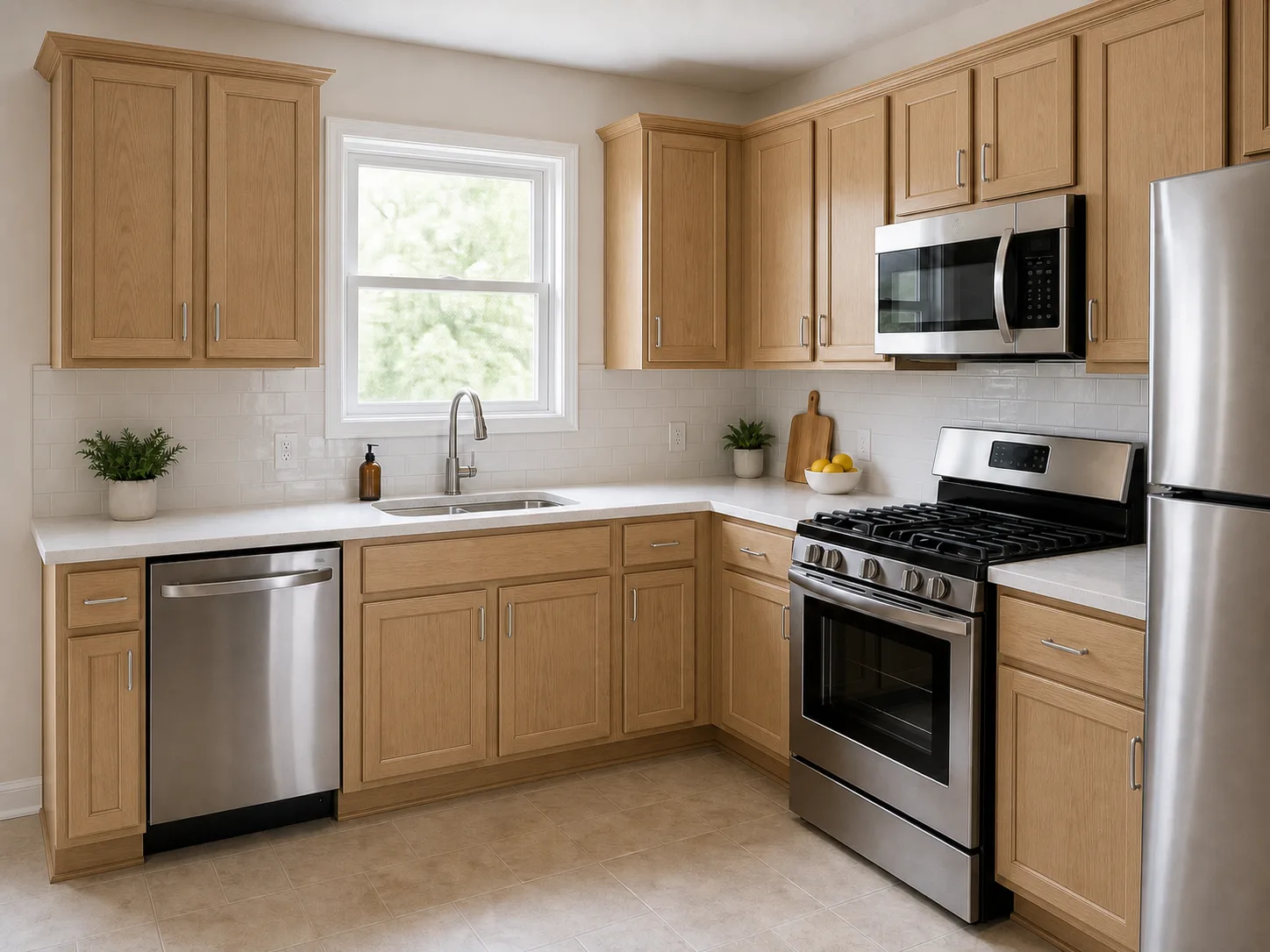
Original Kitchen
The starting point: same countertop, backsplash, floor, and light. Use it as the reference for every cabinet color preview.
Why Your Own Kitchen Photo Matters
A cabinet color that looks good online can feel completely different next to your real counters, tile, flooring, and lighting.
Countertops affect color
White quartz, busy granite, butcher block, and dark stone can make the same cabinet color feel warmer, cooler, heavier, or lighter.
Backsplash undertones can clash
Tile, grout, and wall colors can push cabinet colors warmer or cooler than expected.
Lighting changes everything
Paint and wood tones look different in natural light, warm bulbs, shadows, and small rooms.
Two-tone needs context
Upper, lower, and island colors only feel balanced when you see them inside the actual kitchen layout.
Cabinet Looks You Can Compare
Use the cabinet color visualizer to compare common paint colors, wood tones, stains, and two-tone cabinet ideas before making a real-world decision.
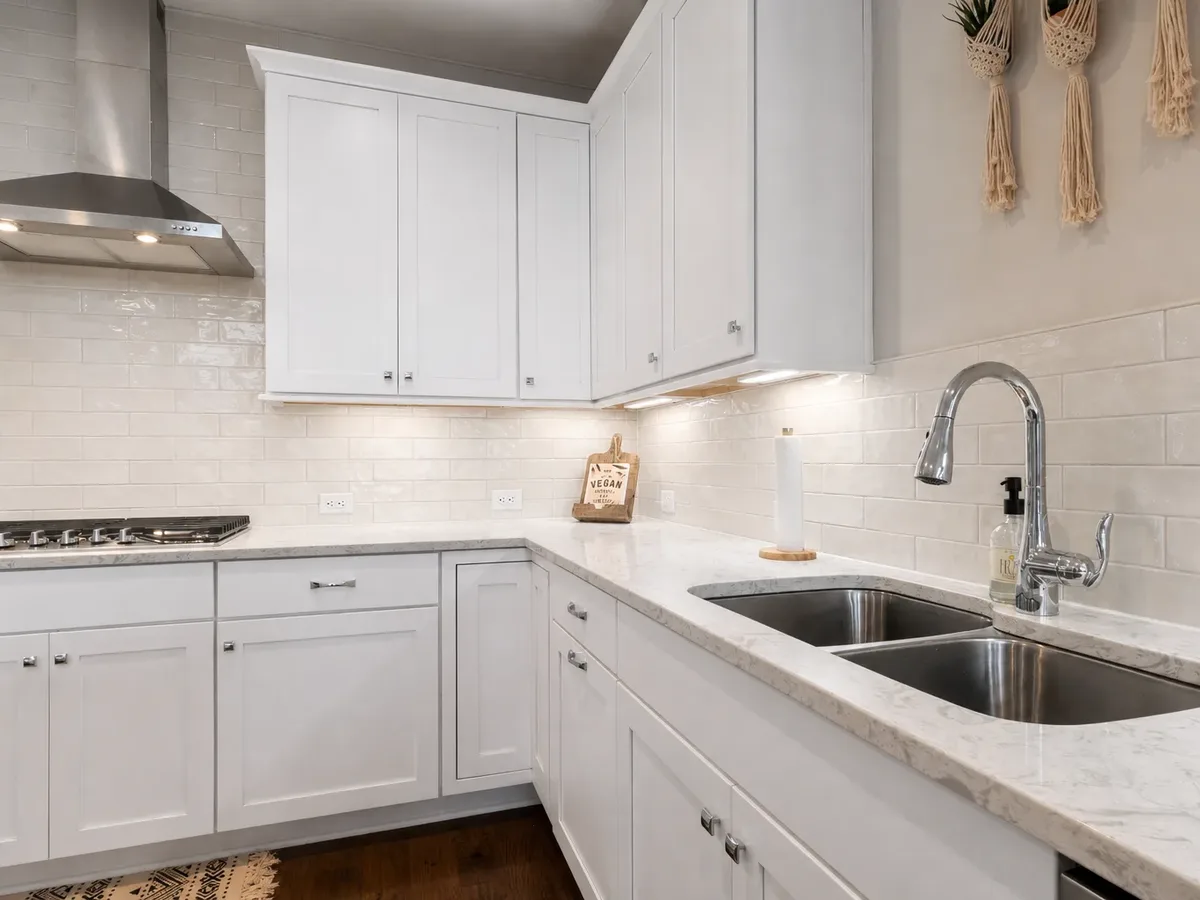
White and warm white
Compare bright white, warm white, and cream cabinets against your current counters and backsplash.
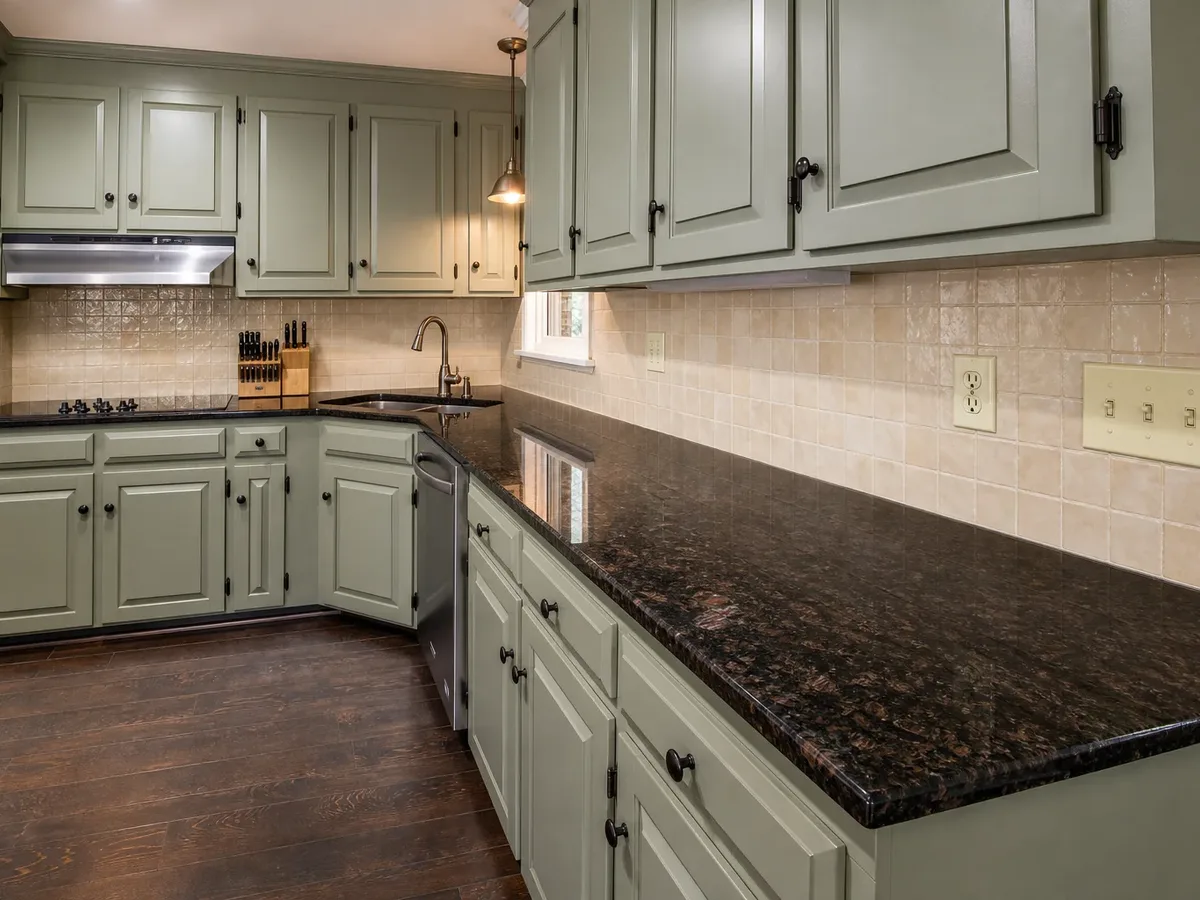
Muted and bold paint colors
Try sage, blue, charcoal, navy, or black before committing to a darker or more colorful direction.
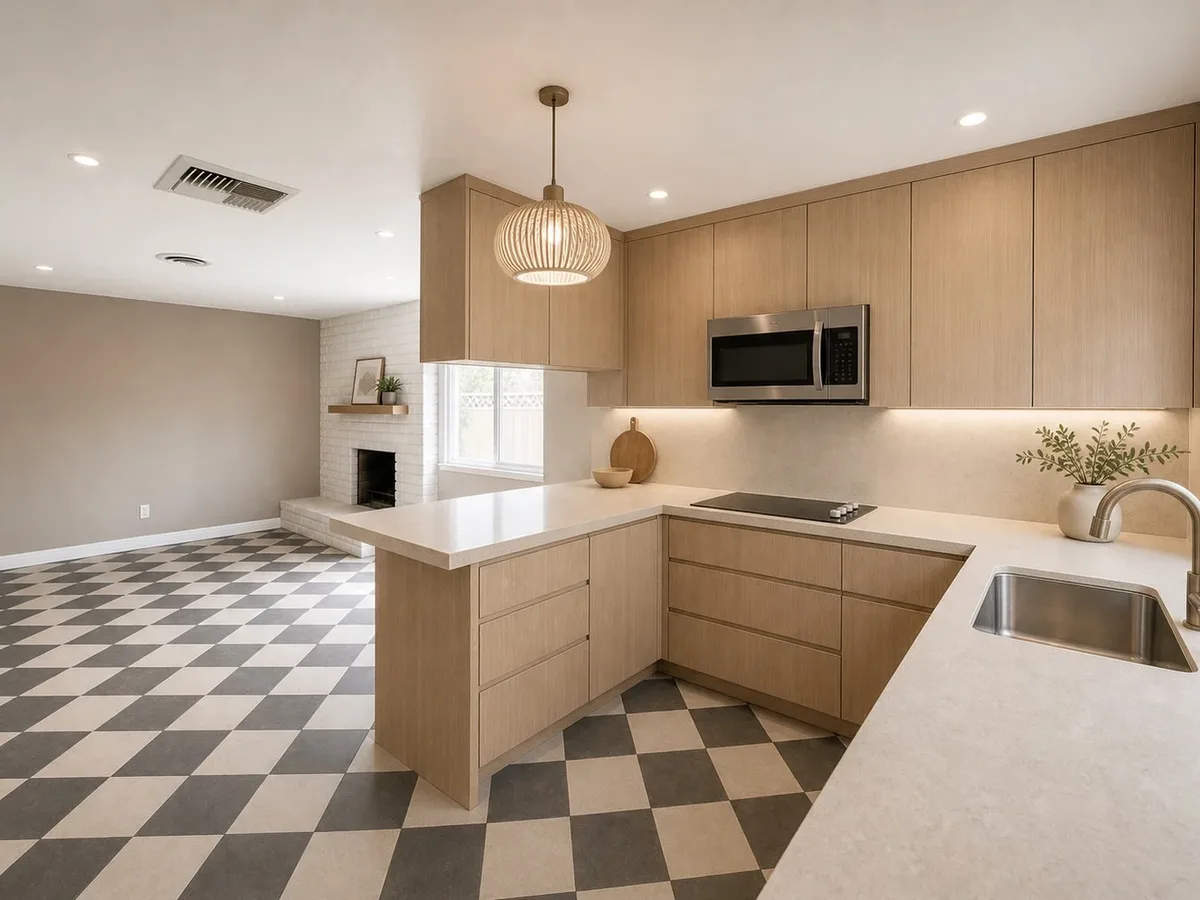
Natural wood and stains
Compare oak, walnut, and darker stained looks before deciding whether to paint, stain, or replace doors.
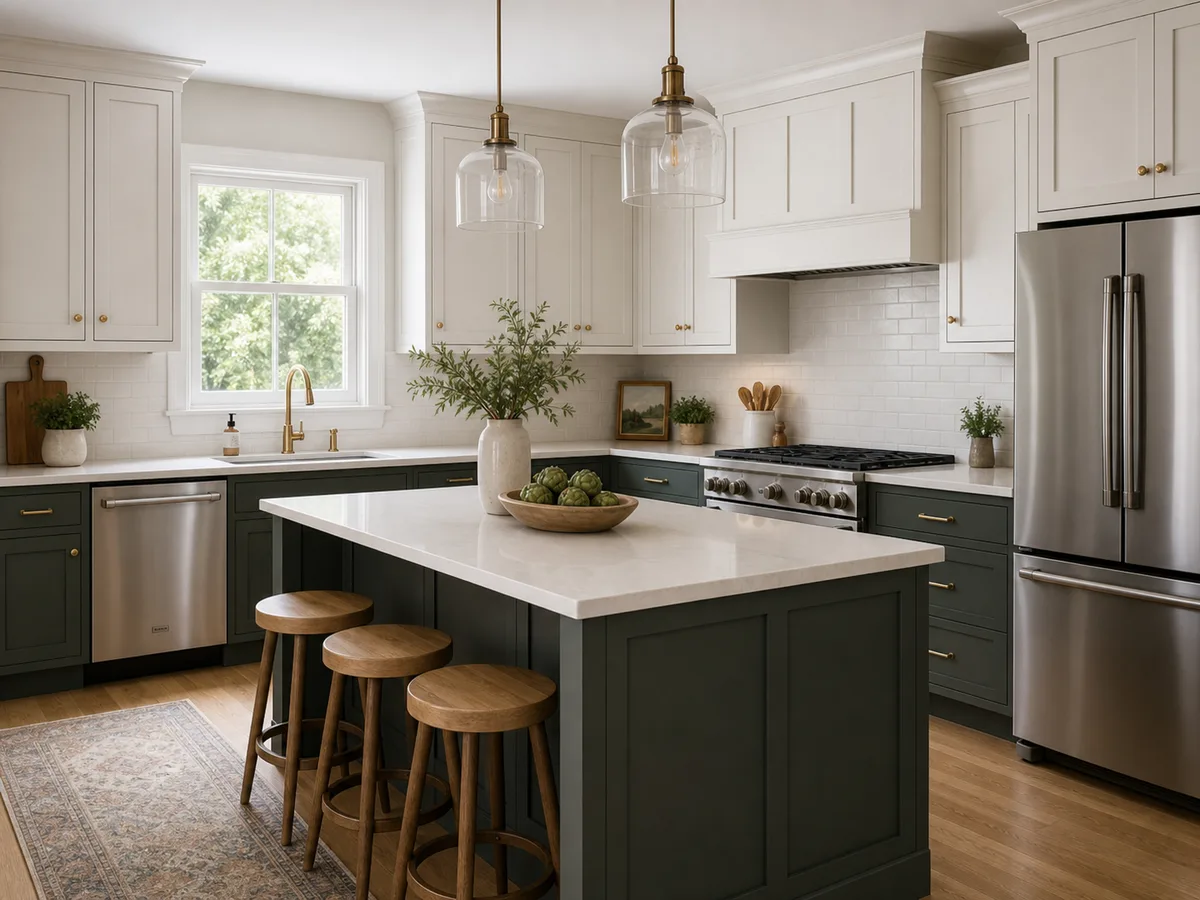
Two-tone cabinets
Preview upper/lower or island color combinations before making the room feel too busy.
Choosing where the cabinet colors should change? Read the two-tone kitchen cabinet guide.
Use Kynelio to Narrow Cabinet Colors, Then Verify Real Materials
Kynelio helps you compare visual directions in your own kitchen photo. Before making a final renovation decision, still check real paint samples, material finishes, hardware, measurements, and contractor requirements.
Boundary 1
Color direction, not paint formulas
Use the preview for
Use previews to compare white, sage, navy, wood, or two-tone directions.
Still verify
Verify exact paint brands, stains, sheen, and samples before buying.
Boundary 2
Visual cabinet look, not refacing specs
Use the preview for
Use previews to judge color and surface feel in your kitchen photo.
Still verify
Use a professional plan for doors, hinges, hardware, prep, or installation.
Boundary 3
Shortlist first, sample later
Use the preview for
Use AI previews to rule out weak options and narrow the decision.
Still verify
Test physical samples in your actual lighting before the final choice.
Kitchen cabinet color visualizer FAQ
Answers to common questions about cabinet color previews, paint, stain, two-tone cabinet looks, and what AI results can and cannot promise.
Is the kitchen cabinet color visualizer free to use?
Yes, you can try it with signup credits. New users receive 2 free credits after sign-up, and one standard cabinet preview uses 2 credits.
Can I use it on my phone?
Yes. Kynelio works in a mobile browser, so you can upload a kitchen photo from iPhone, Android, tablet, or desktop. No separate app is required.
How many credits does a cabinet preview use?
A standard cabinet preview uses 2 credits. An HD cabinet preview uses 4 credits. Generation usually takes about 1-2 minutes.
Does the visualizer only change the cabinets?
That is the goal. Kynelio is prompted to change the visible cabinet color or surface look while keeping the layout, countertops, backsplash, appliances, floor, lighting, and camera angle in place. AI image generation can still make small visual changes, so treat the result as a concept preview.
Can I preview painted, stained, wood, or two-tone cabinets?
Yes. You can preview painted cabinet colors, natural wood tones, darker stains, and two-tone cabinet looks. The output is a visual preview, not an exact veneer, stain, paint code, or material sample.
Should I paint, stain, reface, or replace my cabinets?
Kynelio can preview how painted, stained, and natural wood tones look on your existing cabinets in your real kitchen photo. It does not change door styles or cabinet structure, so it cannot show refacing or full replacement. Use the preview to narrow the visual direction, then talk to a contractor about door styles, hinges, hardware, prep, and installation.
Can I match a specific paint brand or color code?
No. You can mention a target cabinet color, but Kynelio does not guarantee exact paint brand, color-code, or material matching. Use real samples before buying paint or cabinet materials.
Will it change my countertops or backsplash?
The cabinet visualizer is designed to keep countertops and backsplash visible so you can judge cabinet color or finish against the surfaces you already have.
Is this a contractor-ready cabinet design?
No. Kynelio creates visual concept previews. It does not provide cabinet specifications, measurements, installation plans, material performance advice, or contractor-ready documents.
Do I need a floor plan or measurements?
No. A kitchen photo is enough to create a visual cabinet preview. Measurements and professional review still matter before real renovation or cabinet work.
Want to Compare More Than Cabinet Color?
Try a full kitchen redesign preview when you want broader style ideas, or use the backsplash visualizer to test tile directions against your existing cabinets and countertops.
Choosing between natural, walnut, espresso, or gray-brown wood? Read the kitchen cabinet stain color guide.