Two-Tone Kitchen Cabinets: Choose a Pairing That Fits Your Room
Choose the placement first, compare four useful pairings, then test one against the surfaces already in your kitchen.
A visual concept preview, not an exact paint, stain, or material match.
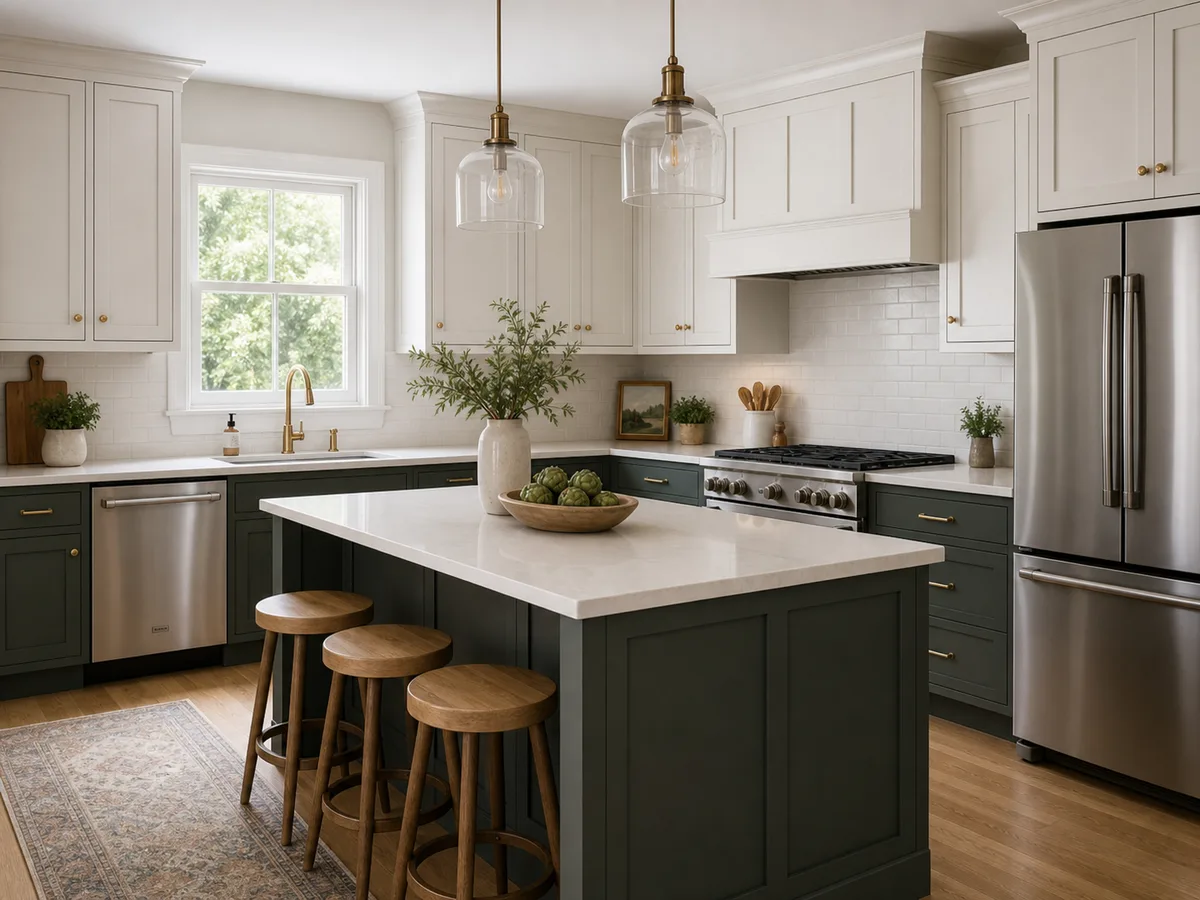
Placement comes before color
Two-tone kitchen cabinets work from one repeatable rule. Decide where the finish changes, then compare the colors inside that structure.
Upper and lower
Put one finish on wall cabinets and the other on base cabinets. Check the transition against the backsplash and the lower finish against the countertop edge and floor.
Island and perimeter
Give the island one finish while the main cabinet run stays consistent. Check whether the island color connects clearly with the floor, countertop, or another repeated finish.
Neither relationship is automatically better. A kitchen without an island may point toward an upper/lower split. A visible island gives you another placement to compare.
Let fixed surfaces filter the pairing
Compare both cabinet directions in context. A color chip on its own cannot show how the two finishes sit beside the surfaces that stay in the room.
Countertop
Compare both cabinet directions beside the countertop edge, not on a separate color board.
Backsplash
Check the point where upper and lower cabinets meet the tile, grout, or slab.
Floor
Look at the lower cabinet color beside the floor so similar tones do not become an accidental near-match.
Wall and trim
Compare painted cabinets with nearby walls, window trim, and door casing in the same view.
Room light
Review the relationship in daylight and under the lights you normally use in the evening.
If the backsplash will change too, test that decision separately in the kitchen backsplash visualizer. Comparing one surface at a time makes it easier to judge whether the cabinet pairing still works.
Four pairing directions worth testing
These are starting relationships, not rankings. Use each example to decide what to compare in your room and what to describe in a cabinet preview.
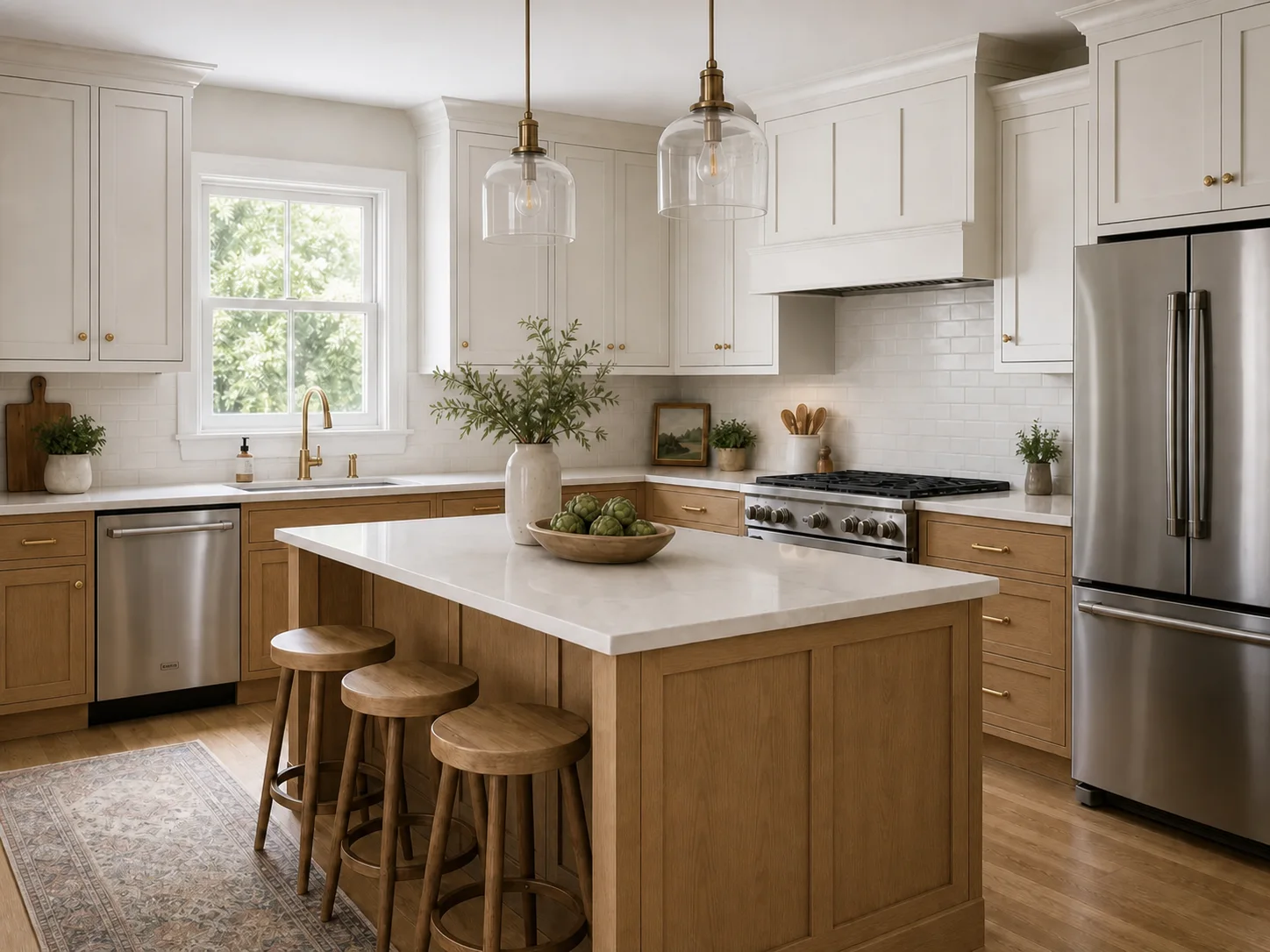
Warm white and natural wood
Use paint for one cabinet zone and visible wood tone for the other. Compare the wood with the floor and use the cabinet stain color guide to narrow the wood family. Compare the warm white with nearby walls and trim.
Watch for several unrelated wood tones competing in the same view.
Preview direction: Warm white upper cabinets, natural medium-oak lower cabinets, keep existing countertop and backsplash.
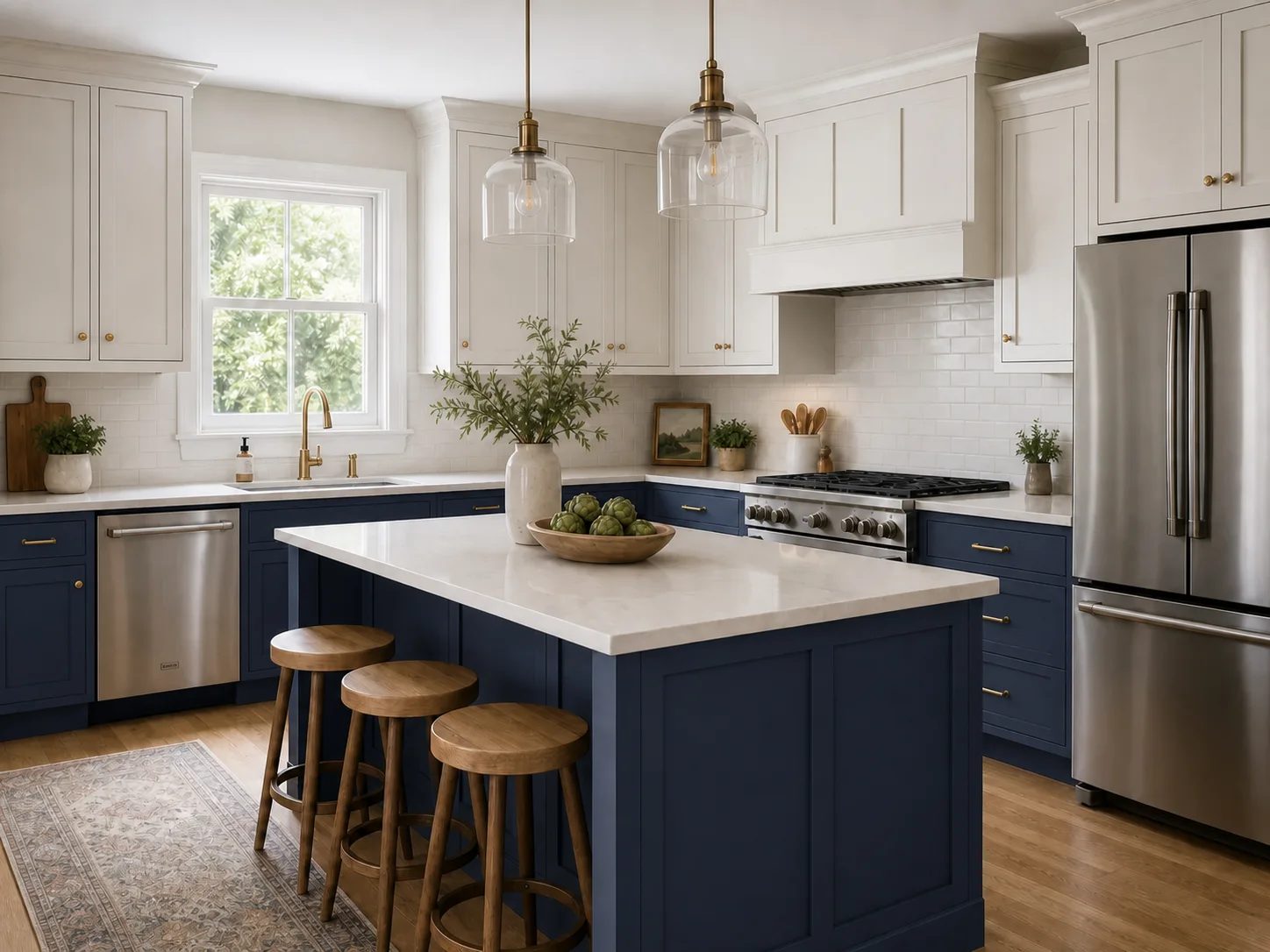
Blue and warm white
Let muted blue carry the color while warm white keeps the second cabinet zone neutral. Compare the blue with tile, grout, countertop, and evening light.
Preview direction: Warm white upper cabinets, muted navy lower cabinets, keep existing fixed surfaces.
Muted green and warm white
Use a quiet green on one cabinet zone and warm white on the other. Check that the green stays distinct from the white without competing with tile or flooring.
Preview direction: Warm white upper cabinets, muted sage lower cabinets, keep existing countertop and backsplash.
Dark neutral and natural wood
Pair charcoal, soft black, or another dark neutral with a natural wood direction. Compare both finishes with the floor and the amount of light in the room. Keep strongly patterned stone or tile in view so the cabinet relationship does not become a third competing focal point.
Preview direction: dark charcoal island, natural medium-oak perimeter cabinets, keep existing fixed surfaces.
Two-tone cabinets in a small kitchen
A compact room does not rule out two-tone cabinets. It makes the placement and amount of contrast more important to compare in the actual kitchen.
Limit the number of strong finishes
Two cabinet directions already create contrast. Let the countertop and backsplash stay part of the decision instead of adding another dominant accent.
Check the first view into the room
Look at the cabinet run you see from the doorway. The pairing should read as one plan, not two unrelated blocks.
Compare light and dark placement
Try both placements in the actual photo. Do not assume that lighter uppers or darker lowers will solve the room by themselves.
Test one relationship in your kitchen photo
In Kynelio's cabinet preview, choose White + wood or Light + dark, or describe your own cabinet color balance. Kynelio is prompted to preserve the existing layout and fixed surfaces while changing the visible cabinet direction.
Use the result to narrow a visual direction. AI can make small unintended changes, and it cannot match an exact paint, stain, veneer, sheen, or material sample.
Two-tone kitchen cabinet questions
Practical answers for comparing placement, room size, fixed surfaces, and the limits of an AI cabinet preview.
Are two-tone kitchen cabinets a good idea?
They can be a useful direction when the two finishes follow one clear placement rule and work beside the surfaces already in the room. Compare the pairing with the countertop, backsplash, floor, walls, trim, and light before making a final choice.
Are two-tone kitchen cabinets timeless or going out of style?
There is no single market verdict that applies to every kitchen. A more useful test is whether the pairing fits the room, follows a clear placement rule, and still works when you compare real samples under the room's normal light.
Can two-tone cabinets work in a small kitchen?
Yes, but room size does not make one placement automatically correct. Keep the contrast controlled, compare the first view into the room, and test upper/lower and available island or perimeter options in the actual kitchen.
Should upper cabinets be lighter than lower cabinets?
They do not have to be. Light uppers with darker lowers create one clear relationship, but the reverse can also be tested. Choose the placement that works with the cabinet layout, backsplash line, room light, and fixed surfaces.
Can the island be a different color from the cabinets?
Yes. An island/perimeter split gives the island its own finish while the main cabinet run stays consistent. Compare the island color with the countertop, floor, nearby cabinet run, and any repeated finish in the room.
What should I compare before choosing two cabinet colors?
Compare both finishes with the countertop, backsplash, floor, walls, trim, and hardware. Review them in daylight and evening light, then look at physical samples in the same positions the cabinet finishes will occupy.
Can an AI cabinet preview match an exact paint color?
No. Kynelio creates a visual concept preview from your photo and description. It does not guarantee an exact paint brand, code, stain, veneer, sheen, or material match. Use the preview to narrow the direction, then confirm it with real samples.