Kitchen Backsplash Visualizer
Use this kitchen backsplash visualizer to upload a photo and preview backsplash ideas with your real cabinets, countertops, and lighting before choosing tile samples.
- Use your own kitchen photo
- Compare directions
- No floor plan needed
Compare clean white tile, warm cream tones, bold dark backsplashes, and textured looks in your own kitchen.
Preview a backsplash on your own photo
Upload your kitchen, describe the backsplash you want to see, or start from a suggested tile direction.
Upload your kitchen photo
Describe the backsplash to preview
Choose a direction
Start with a popular backsplash direction, then adjust the description if you want.
Or describe your own
Kynelio will try to change only the backsplash area and keep your cabinets, countertops, sink, stove, and layout unchanged.
Choose preview quality
Generate backsplash preview
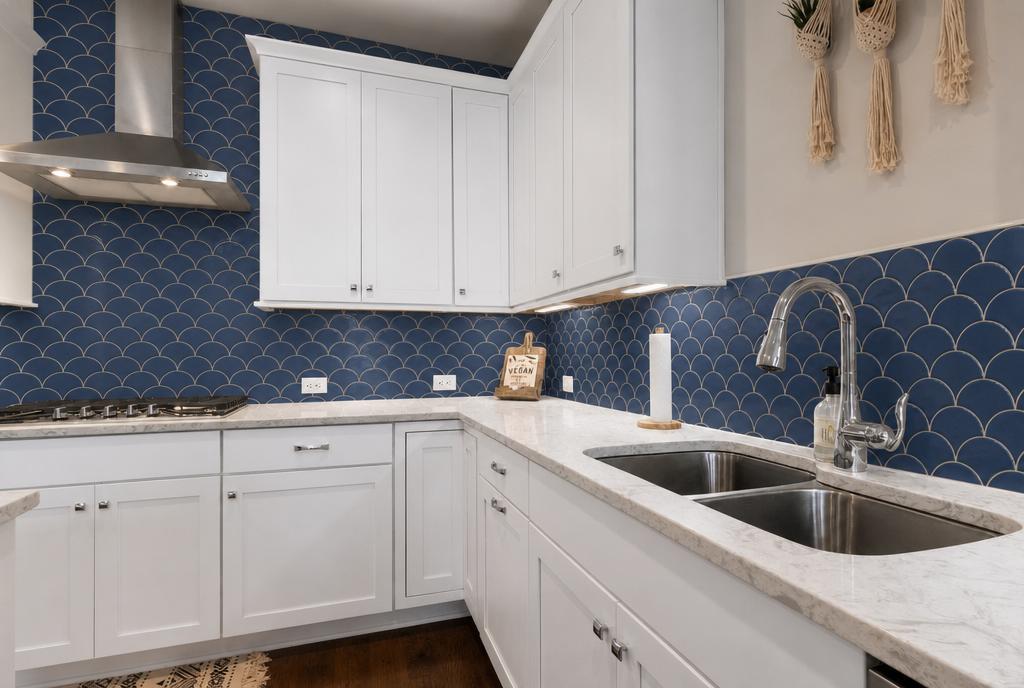
Example backsplash preview — upload your kitchen photo to try your own.
See backsplash ideas in your kitchen, not a showroom
Backsplash choices look different once they share a wall with your cabinets, countertops, floor, and lighting.
Cabinets change how a backsplash reads
The same white tile can look crisp against white cabinets, warm against wood, or too cool next to a painted cabinet color. Previewing in your actual kitchen avoids surprises.
Countertops and backsplashes compete for attention
A busy countertop can fight a patterned backsplash. A quiet backsplash can get lost against a plain counter. See the balance in context before ordering samples.
Lighting matters more than inspiration photos show
Pinterest kitchens often have different windows, bulbs, and ceiling heights. Your own photo keeps the lighting honest so previews feel relevant.
Narrow directions before buying samples
Tile samples are small and inspiration photos are someone else's room. A full-kitchen preview helps you drop clearly wrong directions early.
Compare directions, not exact products
Kynelio previews style directions. We do not match real tile SKUs, exact colors, or grout lines.
Clean white tile
Best when you want the kitchen to feel bright and open. Classic white subway or vertical stack tile pairs easily with changing hardware or paint.
Warm off-white or cream
Softens stark white cabinets and coordinates with brass, wood, or warm stone tones. Warm zellige or cream subway adds quiet variation without going cold.
Bold dark slab or tile
Adds contrast behind light cabinets or countertops. A matte charcoal or black slab anchors the room when you want a dramatic wall.
Handmade or textured look
Brings depth to simple kitchens. Terracotta or handmade-look tile adds character when cabinetry is plain and you want the wall to do the work.
Simple subway vs. patterned
Subway keeps the palette calm; a marble herringbone or picket pattern adds interest. Test both against your countertop movement.
Match your backsplash to what you already have
These common kitchen combinations are hard to judge from a tile sample alone.
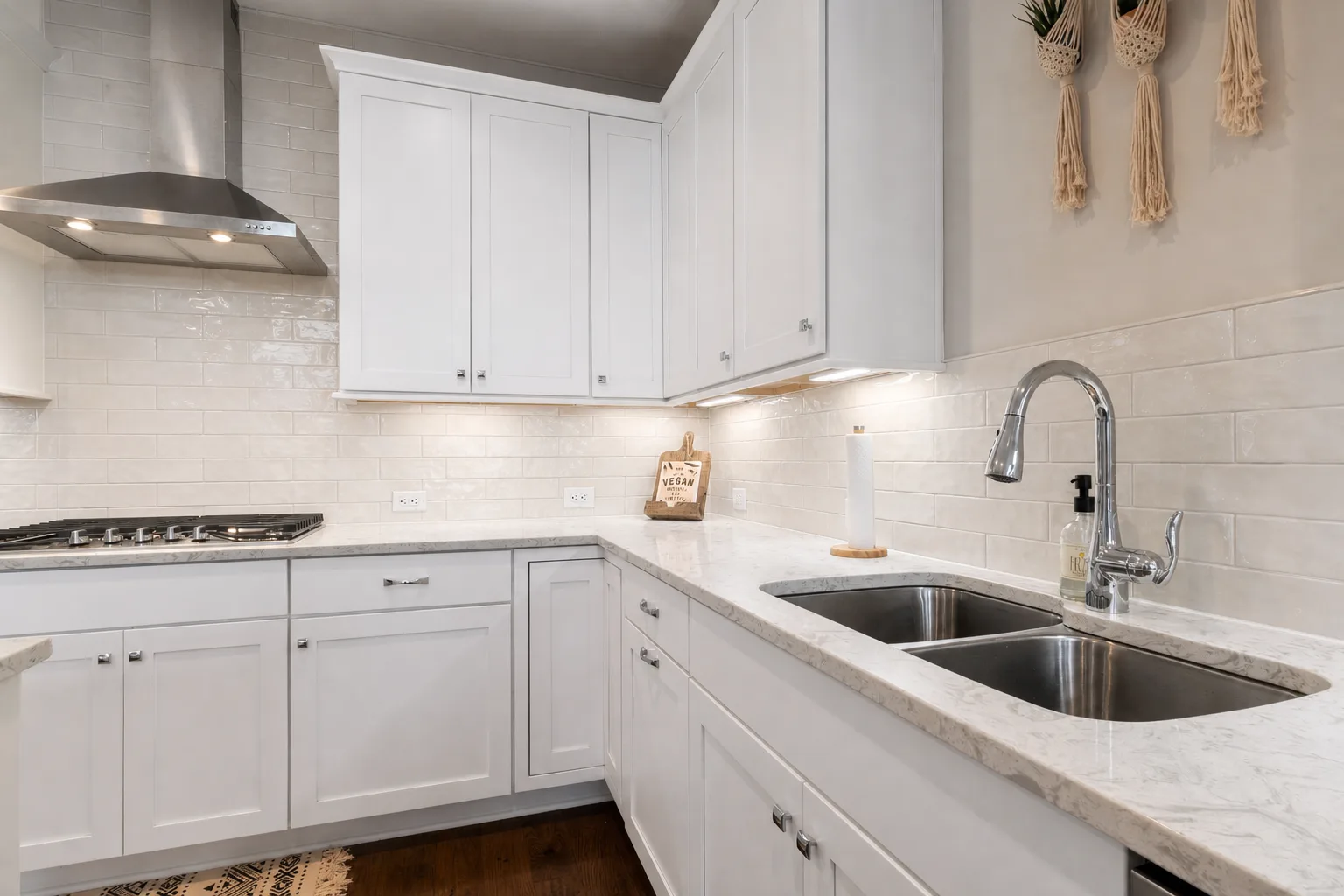
Backsplash with white cabinets
White cabinets give you flexibility, but bright tile can turn cold fast. Preview warm white or cream tile to keep the room soft.
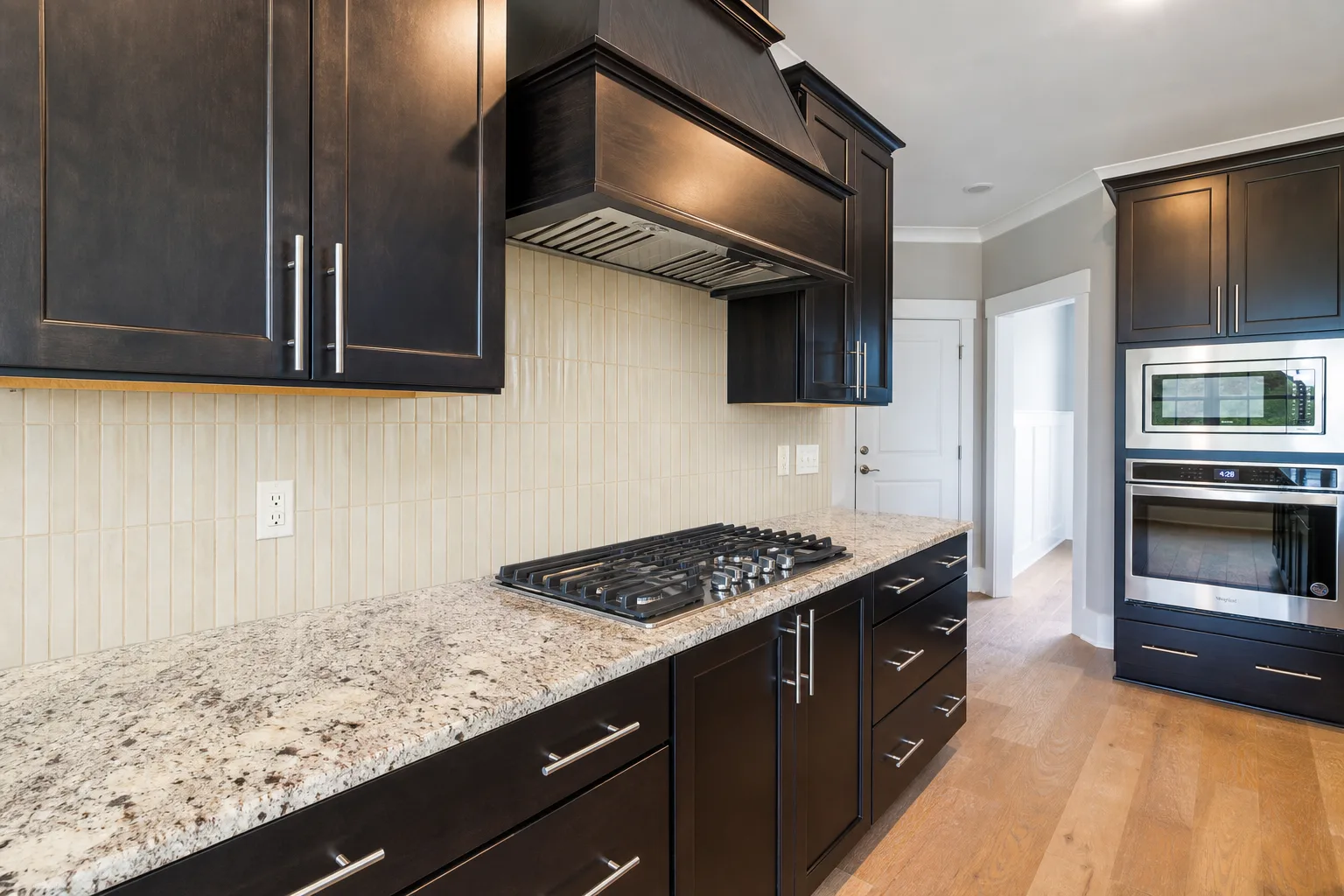
Backsplash with dark wood cabinets
Dark stained wood and speckled counters already carry visual weight. A light vertical tile can brighten the wall without adding more noise.
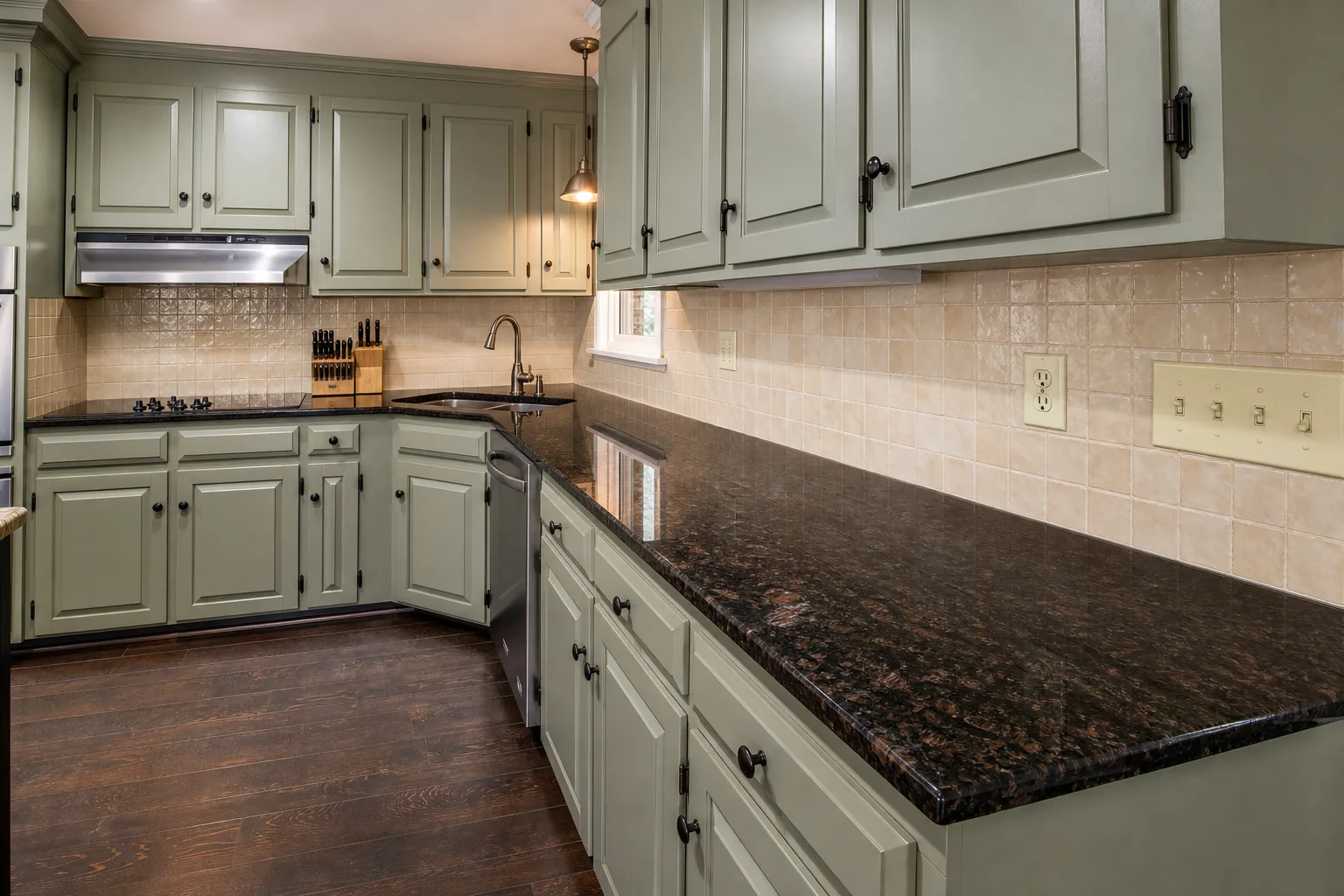
Backsplash with green cabinets
Muted green cabinetry pairs well with warm neutral tile. Test whether a quiet or handmade-look backsplash supports the cabinet color best.
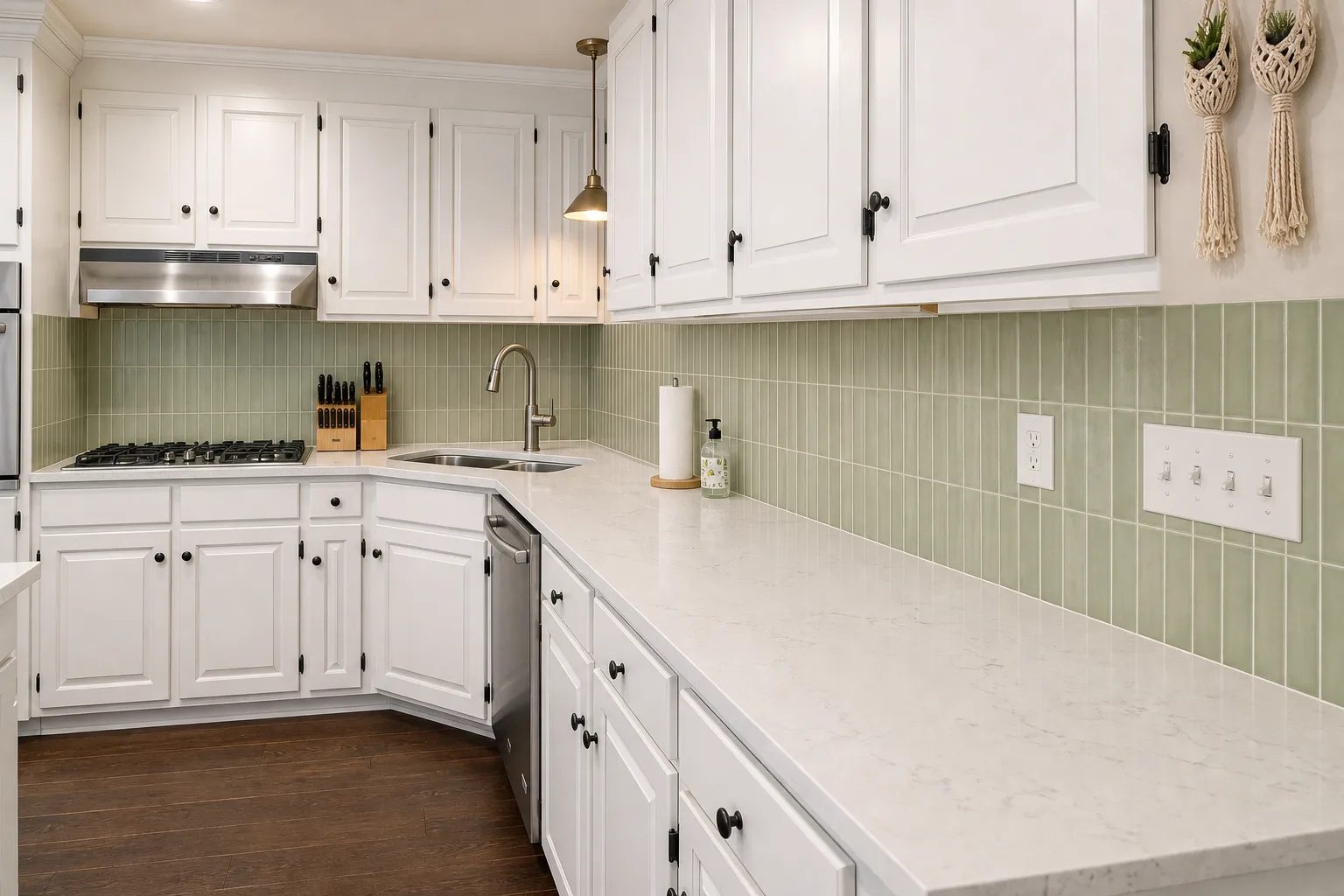
Backsplash with light quartz countertops
Light quartz can handle soft color when the pattern stays calm. Preview how sage or other muted tile works with subtle counter veining.
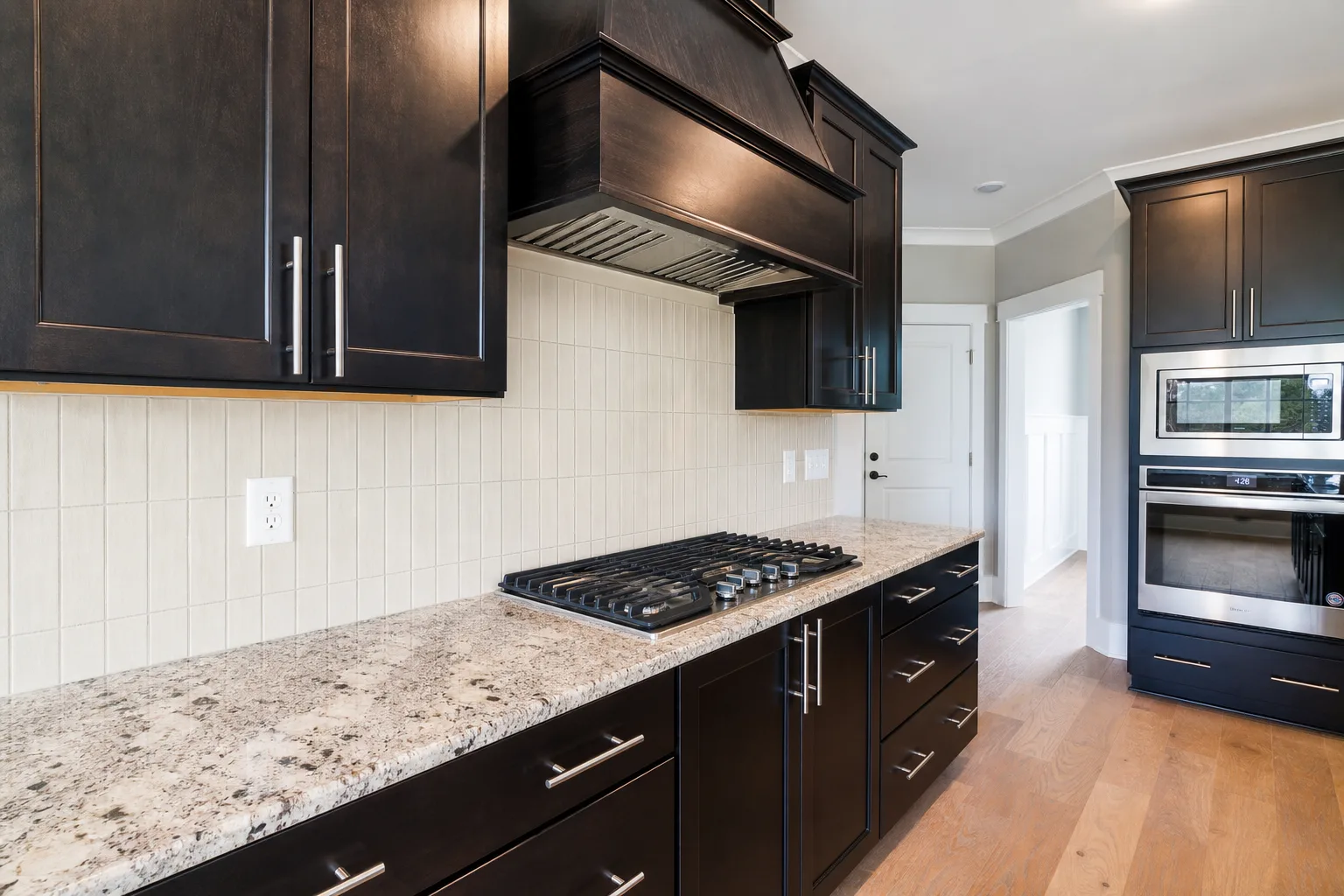
Busy granite with a quiet backsplash
When the counter has strong movement, a simpler backsplash usually wins. Use the wall to calm the room instead of competing with it.
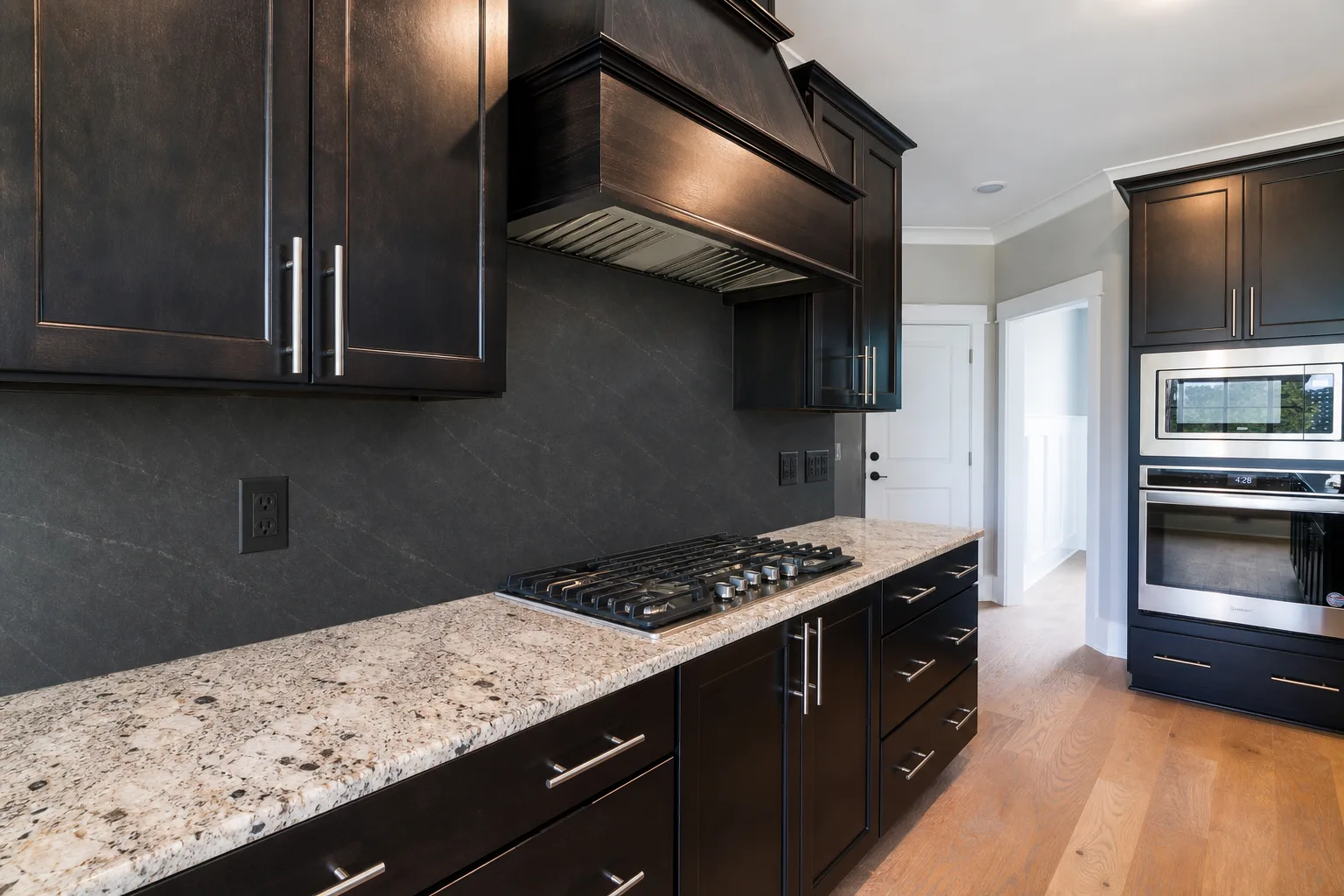
Dark slab backsplash with dark cabinets
A dark slab can make the wall feel dramatic and anchored. Check it in your own lighting before choosing such a heavy direction.
From photo to preview in four steps
Upload your kitchen, describe the backsplash, choose quality, then generate a concept preview.
Upload a kitchen photo
Start with a clear photo of your current kitchen so the preview can keep your cabinets, counters, lighting, and layout in context.
Describe the backsplash
Write the backsplash you want to see, or use Random idea for a starting point. Mention color, tile shape, texture, grout, or slab direction.
Choose Standard or HD
Pick the preview quality before generating. Standard is best for quick direction checks; HD is better when you want a sharper concept image.
Generate the preview
Kynelio edits your uploaded photo from that description and tries to change only the backsplash area.
What to expect and what not to
Honest limits keep the tool useful. Kynelio helps you preview directions; it does not replace samples or professional advice.
Concept preview only
Results show a design direction, not an exact material match. Colors, texture, grout, and finish may differ from any real tile.
Physical samples are still essential
Use Kynelio to narrow directions, then order real tile samples to check color, texture, and scale in person.
No installation or contractor advice
We do not provide layout dimensions, waterproofing guidance, wall prep instructions, or contractor recommendations.
Your photo is used for the preview
Start with a clear, current kitchen photo. The better the angle and lighting, the easier it is to judge the backsplash direction.
Frequently asked questions
Quick answers about what the backsplash visualizer can and cannot do.
Is the kitchen backsplash visualizer free to use?
Yes, you can try it with signup credits. New users receive 2 free credits after sign-up, and one standard backsplash preview uses 2 credits.
Can I use it on my phone?
Yes. Kynelio works in a mobile browser, so you can upload a kitchen photo from iPhone, Android, tablet, or desktop. No separate app is required.
How many credits does a backsplash preview use?
A standard backsplash preview uses 2 credits. An HD backsplash preview uses 4 credits. Generation usually takes about 1-2 minutes.
Can I preview backsplash ideas in my own kitchen photo?
Yes. Upload a photo of your current kitchen and Kynelio will generate visual concept previews that use your cabinets, countertops, and layout as the starting context.
Can I try white subway tile or cream backsplash ideas?
Yes. You can choose directions like clean white tile, warm off-white or cream, bold dark, textured, and more. The preview is a directional concept, not an exact product match.
Should my backsplash match my countertop or cabinets?
It depends on the room. A busy countertop usually pairs best with a quieter backsplash. A plain counter can handle more pattern or contrast. The visualizer lets you test both combinations in your actual kitchen.
Can this replace real tile samples?
No. The preview is a concept to help you narrow directions. Real tile samples are still essential for checking true color, texture, scale, grout, and finish under your kitchen lighting.
Does Kynelio show exact tile products or SKUs?
No. Kynelio does not match specific tile SKUs, brands, or products. It generates style-direction previews to help you decide which look to explore further.
Can I use this before talking to a contractor?
Yes, for direction and discussion. It is not a substitute for contractor-level advice on layout, waterproofing, wall prep, or installation.
Keep comparing your kitchen decisions in context
Backsplash is one surface. You can also preview cabinet color changes or broader kitchen redesign directions from the same kind of kitchen photo.